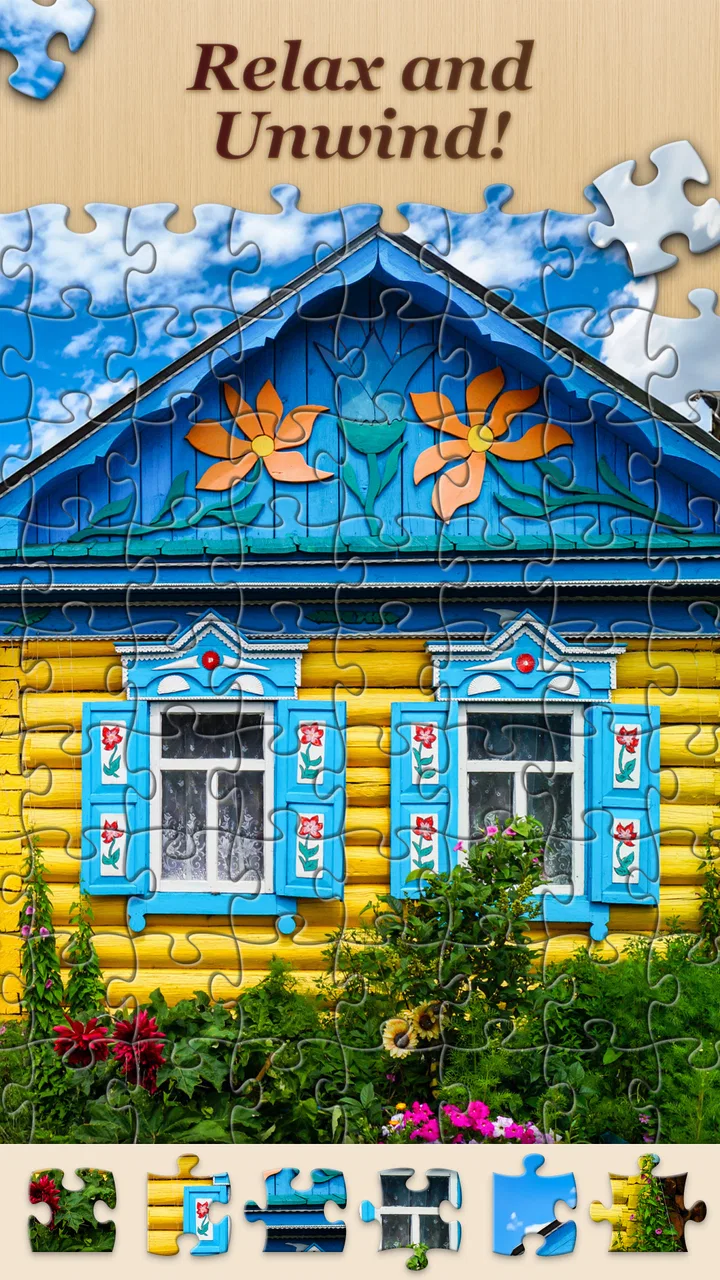
Jigsawscapes® - Jigsaw Puzzles
- 4.5
- Rating
- 50.00M
- Installs
- Free
- Price

 Analysis by App-foxy
I found Jigsawscapes® to be the kind of puzzle game that is easy to start but surprisingly easy to keep returning to. It is a free puzzle game from Oakever Games, built around a large collection of jigsaw challenges rather than a single campaign or a small set of fixed boards. The store summary points to more than sixty thousand original puzzles for adults, and that scale is important: this is less like buying one puzzle and more like keeping a digital puzzle shelf in your pocket.
My first impression was reassuring because the basic idea needs almost no explanation. You choose an image, place pieces, and watch the picture take shape. There is no complicated story to learn before playing, and the Everyone content rating makes it suitable for a broad audience. I would recommend it to someone who wants a calm activity for a short break, especially if traditional cardboard puzzles are inconvenient to store or take too long to finish.
At the same time, I would not describe it as a perfect replacement for every kind of puzzle experience. A physical jigsaw gives you a table, a pile of pieces, and a very different sense of progress. A competitive mobile puzzle game may offer more pressure and faster rewards. This one works best when you want control over the pace and a quiet way to focus.
You May Also Like

 Blood Strike: 2.5 Anniversary
Blood Strike’s Loadouts Turn Every Drop Into a Tactical Gamble
A close look at Blood Strike’s custom loadouts: how fast access to signature weapons reshapes its battle royale rhythm, rewards preparation, and narrows the gap between fights.

 Pandora - Music & Podcasts
Pandora’s Music Is Easy to Start, but Harder to Recover
Pandora’s strength is its low-effort path from a seed to a station. Its weak spot is how much confidence it asks you to place in connection, setup, and quiet recovery.

 8 Ball Pool
 Is Built on Rivalries, Rematches, and Routine
A close look at the rivalries, rematches, shared routines, and unanswered safety questions that turn a quick pool match into a persistent mobile community.

 Samsung Music
’s Quiet Strength Is Playing What You Already Own
Its reach comes less from spectacle than from dependable access to a personal library. That simplicity is both the app’s strongest retention engine and its ceiling.

 AccuWeather: Weather Radar
AccuWeather Review: A Quick, Clear Forecast for Everyday Decisions
For everyday plans, the best forecast is the one you can understand quickly. AccuWeather makes rain timing, radar, and local conditions easy to act on, with a few trade-offs.

 Hill Climb Racing
Why Hill Climb Racing Still Turns Crashes Into One More Run
A tiny car, a bumpy hill and one more upgrade: Hill Climb Racing keeps resurfacing because its simple chaos makes every near-miss feel personal.
More From Our News Desk
View All News


What the first session feels like
After installing it, I would approach the game with one simple expectation: the enjoyable part is choosing a picture that matches your available time and patience. A detailed image can be satisfying, but it can also become tiring when many pieces share similar colors. A picture with clear shapes and strong contrast is a better starting point if you want an early success instead of a demanding test.
The game’s large catalog is both its strongest attraction and its first small challenge. Having so many choices sounds ideal, but a first-time player can spend longer browsing than solving. My advice is to make a quick decision rather than searching for the perfect image. Pick something visually clear, begin with a manageable board, and use the first completed puzzle to learn what level of detail feels comfortable on your phone or tablet.
The experience is particularly well suited to small gaps in the day. I can imagine opening it while waiting for an appointment, taking a short break from work, or settling down before bed. Because a jigsaw does not demand constant rapid reactions, it is easier to pause mentally than an action game. Still, the concentration can become absorbing, so it is worth treating a difficult board as an activity to continue later rather than something that must be finished in one sitting.
One useful way to think about the app is as a flexible attention tool. If I have only a few minutes, I would choose a simpler image and aim to place a handful of obvious pieces. If I want a longer session, I would select a more intricate picture and let the sorting process become the main activity. That choice matters more here than chasing a high score, because the pleasure comes from gradual visual order.
Starting without making the catalog feel overwhelming
For a first attempt, I would avoid judging the game by the most difficult board available. A puzzle that looks beautiful in a preview may contain broad areas of sky, water, foliage, or shadow that are hard to separate. Those images are not bad choices, but they are better once you understand how the pieces behave and how much zooming your device allows.
I prefer beginning with an image containing recognizable objects, edges, and color changes. The outside pieces usually provide a natural starting point, while distinctive details give you useful landmarks in the middle. This is a small but important habit: rather than dragging random pieces around, I look for a visual feature that can act as an anchor and build outward from it.
The first meaningful success is not simply opening a puzzle. It is completing a small section without relying on guesswork. Once a corner, object, or strong color block comes together, the rest of the board feels less anonymous. That moment tells you whether the current difficulty suits you and gives you a practical basis for choosing the next puzzle.
How I would handle the initial setup
The setup is straightforward for most people because the game is free to download and play. It supports devices running Android 7.0 or later, so anyone using an older phone should check compatibility before planning around it. The current version is 5.0.2, which is the version I would look for when installing so the starting experience matches the current release.
I would also make sure the device has enough comfortable screen space for dragging and inspecting pieces. A larger display can make detailed boards easier to manage, while a smaller phone remains convenient for quick sessions. This is not a reason to avoid the game on a phone; it simply changes which puzzle images and difficulty levels feel pleasant.
There is no need to treat the first launch as a commitment to spending money. The game is listed as free, while optional in-app purchases range from $6.99 to $69.99 per item. I would begin with the free experience, learn how often I play, and only then decide whether any optional purchase is worthwhile. That approach prevents the size of the catalog from turning into pressure to buy immediately.
For families, the Everyone rating is a useful starting point, but I would still let younger players use the game with the same practical guidance I would give for any mobile title: agree on screen time and make sure purchases are controlled through the device settings. The rating describes broad content suitability, not a promise that every child will find the puzzles equally easy or engaging.
The first completed puzzle and what it teaches you
When I finish the first board, I pay attention to more than the picture itself. I notice whether the piece movement feels comfortable, whether I can identify the next area without frustration, and whether the chosen image made me want to continue. Those observations are more useful than simply selecting the most attractive preview.
A good first completion should leave you with a repeatable method. I start with corners and borders, group pieces by obvious color or texture, and then connect sections around recognizable objects. If the board becomes confusing, I stop moving pieces randomly and return to sorting. That reset often saves time because it changes the task from guessing to comparing.
Another practical tip is to use the screen as a workspace rather than trying to remember every piece. I keep one small visual goal in mind, such as completing a flower, building a roofline, or connecting a bright patch of color. Finishing local goals creates momentum and makes a large board feel like several small tasks instead of one shapeless problem.
This is where the app differs from a typical quick-match puzzle. There is no need to react instantly to falling tiles or plan several moves ahead under a timer. The challenge is visual organization. If you enjoy sorting, pattern recognition, and gradual completion, that can feel wonderfully relaxing. If you need constant novelty or immediate feedback, the slower rhythm may feel underpowered.
Confusions that can make the game seem harder than it is
The most common mistake is choosing an image based only on how attractive it looks. A scenic photograph with subtle shades may be much harder than a colorful illustration with clear boundaries. I learned to separate “beautiful” from “friendly for a first attempt.” Both kinds have a place, but they serve different moods.
Another source of friction is trying to solve the center before establishing any structure. Without a border or a recognizable anchor, many pieces can appear interchangeable. When that happens, I return to the edges and sort by shape, color, and texture. The puzzle becomes more predictable once a few fixed sections are in place.
It is also easy to mistake a slow session for a bad session. Some boards are meant to be gradual, and a few minutes of sorting may be the main achievement of the day. I would not abandon the app after one difficult image. I would switch to a simpler picture and see whether the basic interaction feels satisfying when the visual information is clearer.
On the other hand, persistence is not always the answer. If you dislike repetitive visual comparison, no amount of catalog size will change the core activity. Someone who prefers word puzzles, logic grids, or fast arcade rounds should probably choose a different category. This game is specifically for people who find satisfaction in assembling an image piece by piece.
Using the huge selection intelligently
The catalog becomes more valuable when you use it according to your mood instead of browsing without a plan. I would divide sessions into three informal types: easy completion, focused challenge, and background relaxation. For easy completion, I choose strong colors and obvious subjects. For a challenge, I select a detailed scene with similar textures. For relaxation, I choose an image whose subject I enjoy looking at even if the solve takes longer.
This approach also helps prevent fatigue. Repeatedly tackling dark, low-contrast images can make the game feel harder than it is. Alternating a demanding board with a visually clear one gives your attention a chance to recover while keeping the overall experience fresh. The app’s breadth supports that rotation better than a small fixed collection would.
A less obvious benefit is that the game can work for different attention spans without asking you to change genres. A child may enjoy recognizable pictures and short completions, while an adult may prefer a more intricate image during a quiet evening. Two people using the same app can therefore have very different experiences depending on their image choices and patience.
I would not assume that more pieces automatically means more enjoyment. Complexity can make a completed picture feel more rewarding, but it also increases the time spent sorting nearly identical shapes. The right difficulty is the one that keeps you curious rather than merely trapped. If you find yourself forcing every piece into every nearby gap, step down and rebuild your confidence with a clearer board.
How it compares with physical puzzles and other mobile options
Compared with a physical jigsaw, this game wins on convenience. There is no table to reserve, no box of loose pieces, and no risk of a pet or family member disturbing a half-finished arrangement. It is easy to carry and ready when you have a spare moment. The trade-off is that touch controls and a phone screen do not provide the same tactile feedback as cardboard pieces.
Compared with quick mobile puzzle games, it offers a gentler pace and less emphasis on competition. I would choose this over a match-three game when I want to concentrate without chasing a countdown or a chain reaction. I would choose the match-three alternative when I want short bursts of intensity, rapid rewards, or a stronger sense of arcade progression.
Compared with a small collection of premium digital jigsaws, the breadth here is the main advantage. A curated paid app may feel cleaner or more focused, while this game is better for someone who wants to keep discovering new images. The presence of optional purchases also means that users should decide how much of the experience they want before spending, rather than assuming every part of the catalog is included in the same way.
The game’s popularity suggests that this format has broad appeal: it holds an average rating of 4.5 from around 632 thousand ratings and has passed 50 million installs. Those figures do not guarantee that it will suit you, but they do indicate that the basic concept has reached a substantial audience. I still think personal taste matters more than popularity here because the central activity remains deliberately slow and repetitive.
Who should try it, and who should skip it
I would recommend it to adults who enjoy visual hobbies, people looking for a calm phone activity, and anyone who likes the idea of physical jigsaws but lacks space or time for a permanent table setup. It can also suit families who want an approachable puzzle format, provided that adults manage device purchases and screen-time expectations.
It is especially useful for a person who wants to turn a waiting period into something more satisfying than scrolling. Choosing a clear image, completing a small section, and stopping before frustration builds is a realistic everyday routine. The game does not need to become a long evening commitment to be worthwhile.
I would be more cautious about recommending it to players who need a strong narrative, competitive rankings, or constant mechanical variety. The enormous image collection changes the subject matter, but it does not fundamentally change the act of assembling pieces. If that action does not appeal to you, a larger selection will not solve the problem.
I would also skip it if you are looking for a completely tactile puzzle experience or a game where every decision has a strategic consequence. Here, the satisfaction comes from observation and persistence rather than deep planning. That distinction is important before downloading, because the screenshots may make it look more varied than the underlying activity really is.
My practical routine for getting more from it
My preferred routine is simple. I choose the image before I am tired, start with the border, and create one or two visual groups rather than scattering pieces everywhere. When I reach a difficult section, I look for a unique feature instead of repeatedly testing pieces. If progress slows, I pause and return later rather than turning relaxation into a chore.
I also treat unfinished puzzles as normal. A board does not become less successful because it takes several sessions. In fact, leaving a partially completed image can make the next opening feel purposeful: I already know the structure and can resume from a meaningful point. This is one of the strongest reasons to use a digital jigsaw on a phone, where the activity can fit around real life rather than requiring a dedicated block of free time.
For a first week, I would try different image styles and difficulty levels instead of staying with one type. Notice whether you prefer clear illustrations, colorful subjects, or detailed photographs. That small experiment helps you navigate the broad selection more efficiently and reveals whether you enjoy the solving process itself or only the final image.
Keep purchase decisions separate from puzzle decisions. Since optional items can cost from $6.99 up to $69.99, I would not buy simply because a particular board looks appealing in the moment. First establish how regularly you play and whether the free selection already gives you enough variety. That is a sensible way to keep the game enjoyable rather than letting the catalog encourage impulse spending.
Final thoughts after settling into the experience
Jigsawscapes® is a convincing choice for anyone who wants a large, accessible collection of digital jigsaw puzzles with a relaxed pace. Oakever Games has focused the experience on the simple pleasure of turning scattered pieces into a complete image, and that focus is exactly why it works. The game is free, rated for Everyone, and available for Android users on version 7.0 or newer.
Its main weakness is also its identity: the core activity remains the same no matter how many images you browse. Some boards can feel repetitive or visually demanding, and the optional purchase range deserves attention before you spend. Still, those limitations are manageable if you choose images carefully and match the difficulty to your available energy.
My recommendation is to start with a clear, moderately simple picture and aim for one satisfying section rather than a perfect marathon session. If that small success makes you want to continue, the extensive catalog gives you plenty of room to explore. If you finish and feel only impatience, you have learned something equally useful: a faster or more strategic puzzle game may be a better match.
For me, the strongest reason to keep it installed is convenience. It turns the familiar jigsaw routine into something that can happen on a sofa, during a short wait, or in a quiet moment at the end of the day. Choose the picture for your mood, not just for its appearance, and the first session is much more likely to feel rewarding.
FAQs for Jigsawscapes® - Jigsaw Puzzles
01What is Jigsawscapes® - Jigsaw Puzzles?
Jigsawscapes® - Jigsaw Puzzles is a mobile application designed for puzzle enthusiasts. It offers a wide variety of jigsaw puzzles with different themes and levels of difficulty. The app is user-friendly and provides a relaxing experience as you piece together beautiful images on your Android or iOS device.
02How many puzzles are available in Jigsawscapes®?
Jigsawscapes® boasts a vast library of puzzles, with thousands of options spanning multiple categories such as nature, animals, art, and more. New puzzles are added regularly to keep the content fresh and engaging for users, ensuring there's always something new to explore.
03Can I play Jigsawscapes® offline?
Yes, Jigsawscapes® allows users to download puzzles so they can be played offline. This feature is perfect for those who want to enjoy the game without needing a constant internet connection, making it convenient for travel or areas with limited connectivity.
04Are there in-app purchases or ads in Jigsawscapes®?
Jigsawscapes® is free to download and play, but it does include in-app purchases for additional features or removing ads. Users can choose to purchase puzzle packs or a premium subscription for an ad-free experience and exclusive content, enhancing their gameplay.
05Is Jigsawscapes® suitable for all ages?
Jigsawscapes® is designed to cater to puzzle lovers of all ages. With varying difficulty levels, it can be enjoyed by both children and adults. The app's family-friendly content ensures that it's a safe and educational choice for users looking to improve their cognitive skills.
Pros
- Wide variety of puzzle themes
- User-friendly interface
- Offline play available
- Daily challenges boost engagement
- High-quality images enhance experience
Cons
- Limited free puzzles available
- Occasional ad interruptions
- Some puzzles require in-app purchases
- No multiplayer mode
- Limited customization options

Jigsawscapes® - Jigsaw Puzzles
Gallery